November 2026
🌟 What's New
Share Handouts in Chat
You spent weeks building great content for your event: session slides, sponsor brochures, product videos, the attendee guide. But when someone actually needs it, they're in a chat asking a question, and the answer is buried three clicks away.
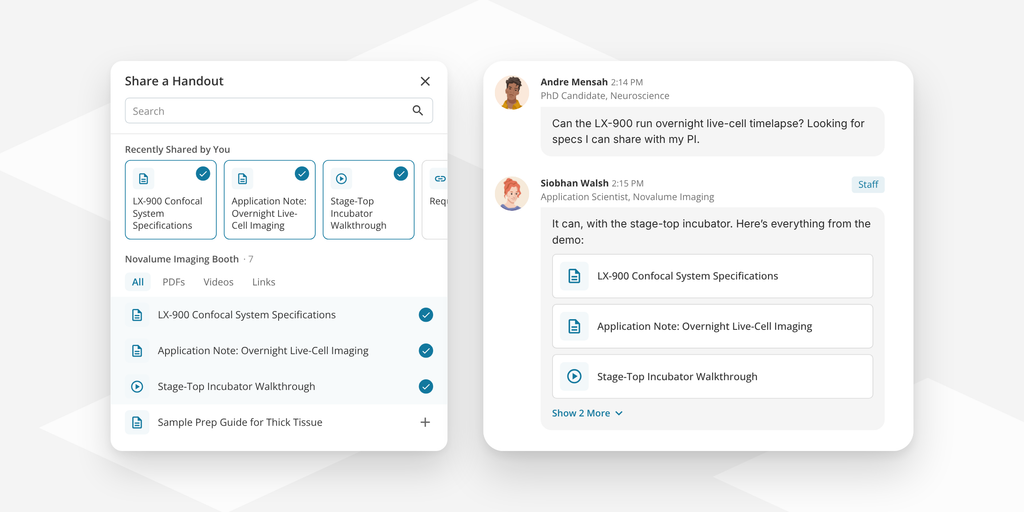
Now the answer can be the content itself. An attendee asks the help desk where to find the agenda, and the attendee guide can be added right in the chat. A booth visitor asks about pricing, and the brochure is in their hands before they move on. Attendees get what they need without leaving the conversation, and the content you worked so hard on finally gets seen.
Every view counts. Handouts opened from chat count toward handout tracking in your event metrics, so the content your team shares in conversation shows up in the numbers you report on.
You stay in control. Staff only share handouts from the spaces and webcasts they work, so what they share always fits the conversation, and event admins can share anything in the event. Handout sharing is on by default for admins and staffers (never available to attendees), and you can limit it to admins or turn it off in Event Settings.
Share Photos in Chat
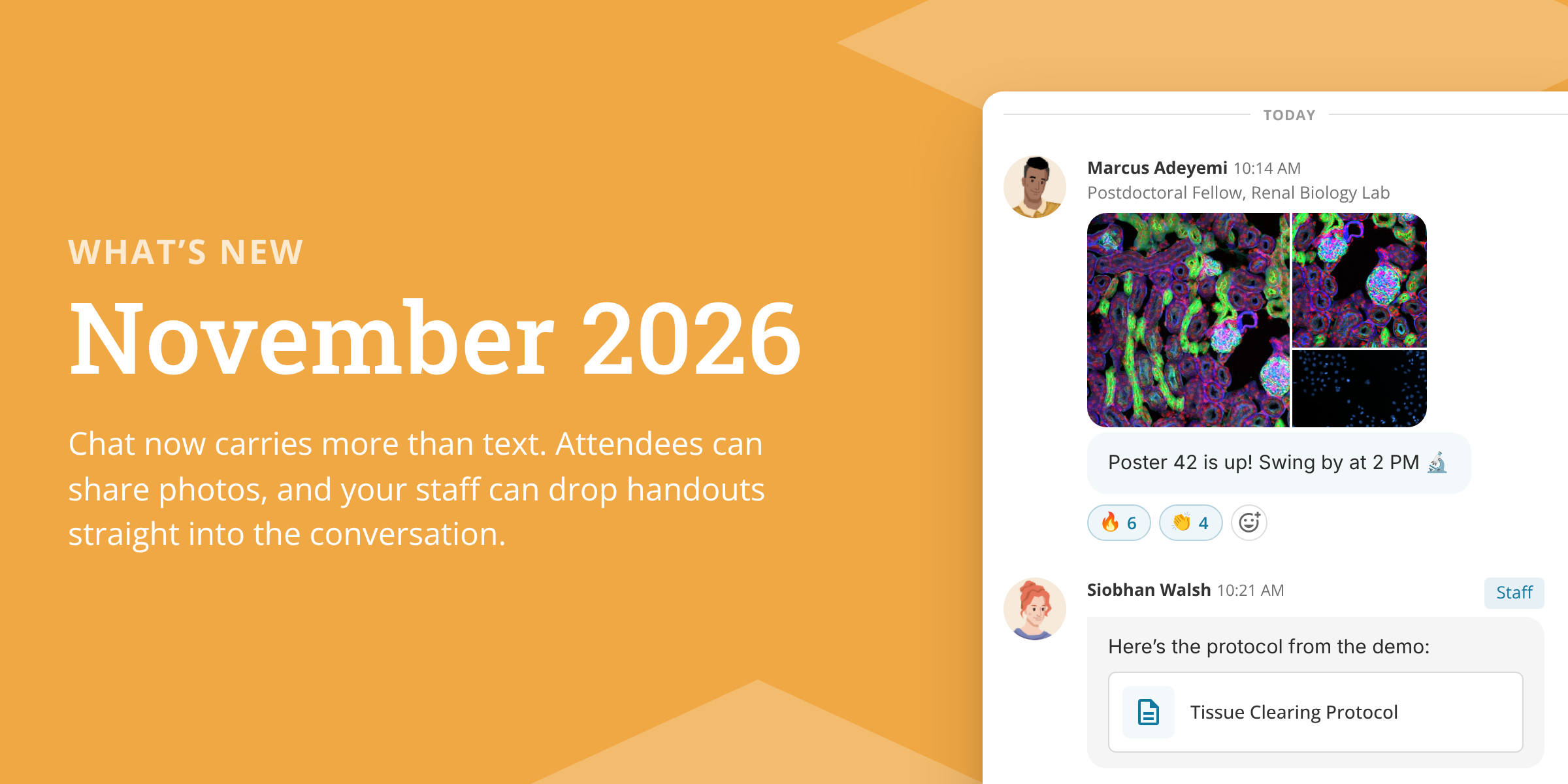
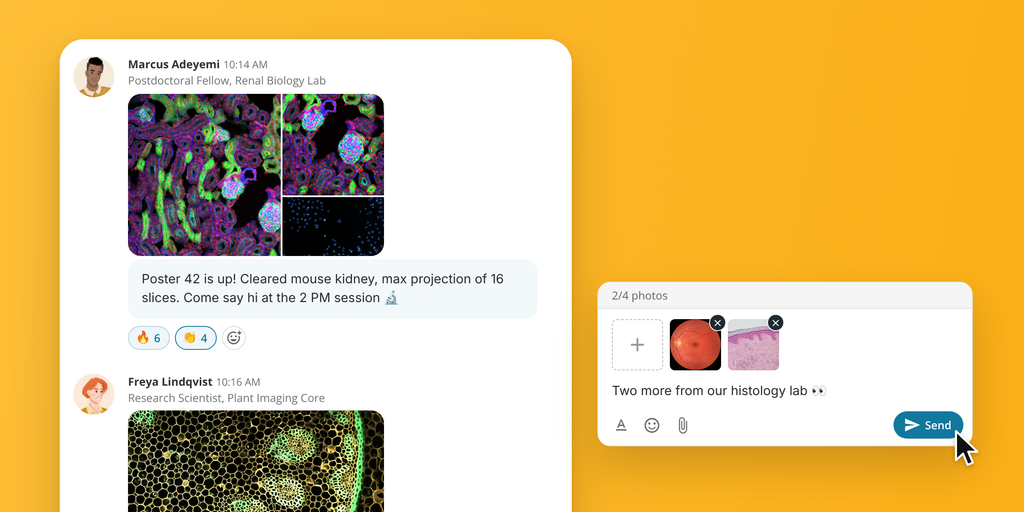
Chat just got more visual. Attendees and staff can now add up to 4 photos to a message by clicking the paperclip, dragging photos into the chat, or pasting them. Photos show as a neat album in the conversation and open in a full-screen viewer, with swipe and pinch to zoom on phones.
Staff stay in control. Event admins and space staff can remove a single photo or delete the whole message, and they can review every photo shared in a chat from one place.
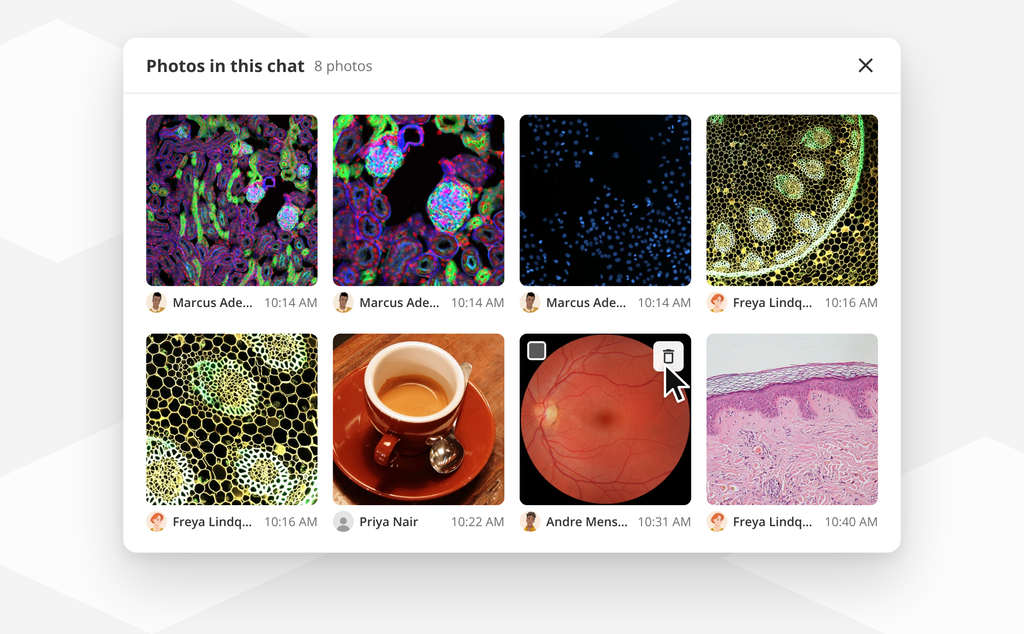
You can change photo sharing permissions in Event Settings > Options > Chat Options > Photo Sharing Options. Photos can be JPG, PNG or GIF, up to 25 MB each.
🛠 Updates to Existing Features
Copy User Journeys. Built a journey you love? Copy it from the same event or from another event in your account, instead of setting it up from scratch.
Pinned messages show more. Pinned messages now show photos and handouts when added to the message, not just the text.
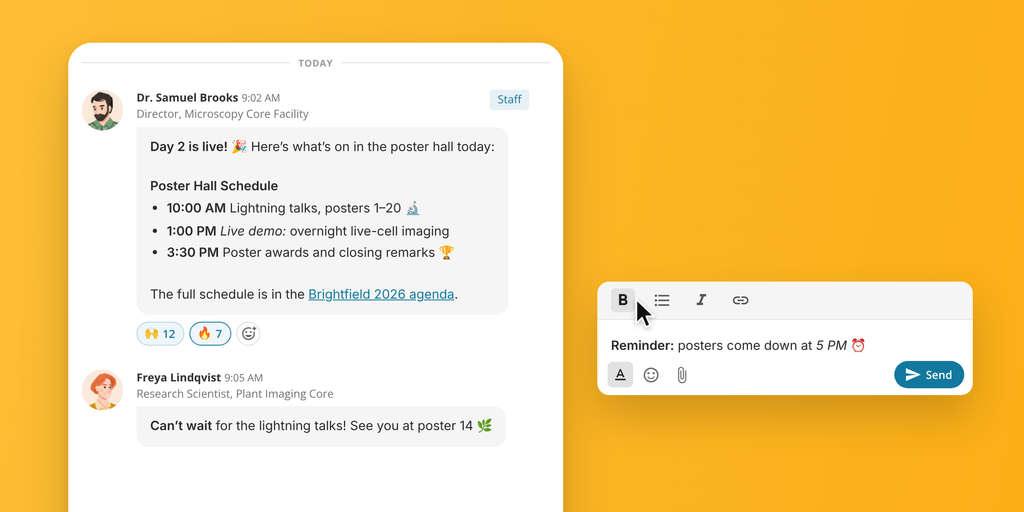
Line breaks in chat. Messages now keep their line breaks and the blank lines between paragraphs, so longer messages like instructions or session details are easy to read.