Discover how Chati's self-service licenses give you full control - build, update, and launch virtual events on your terms. Register for our free webinar today!
October 2026
We've made chat in Chati more expressive, easier to use and better at keeping your attendees engaged. Your attendees can now react with emoji, format their messages and connect privately in a cleaner, faster private chat. And you have new ways to spotlight your staff and give your booth and webcast teams the data they need, without the extra setup.
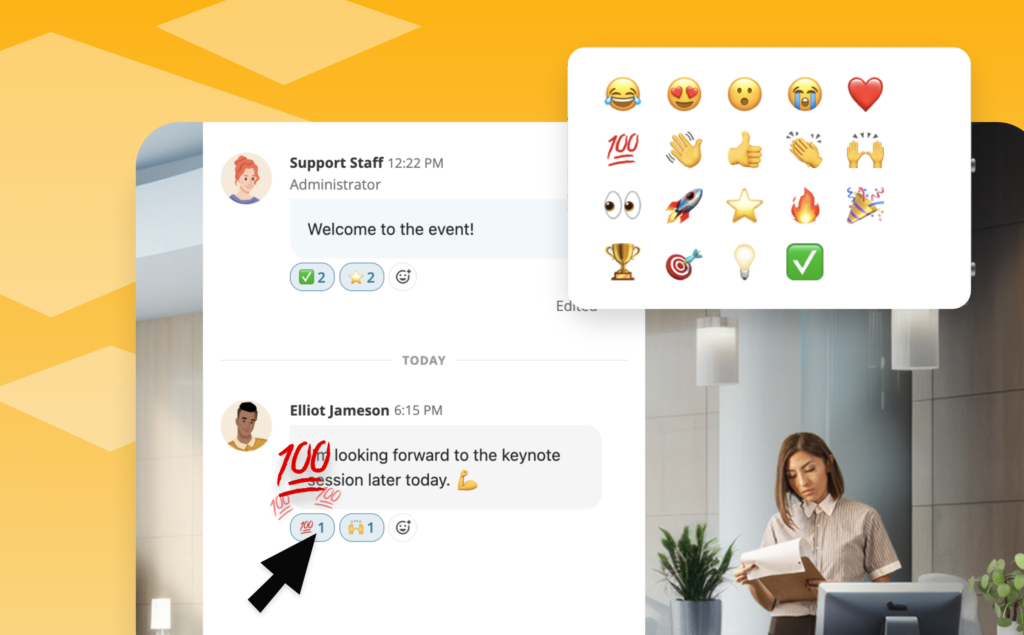
Chat Reactions
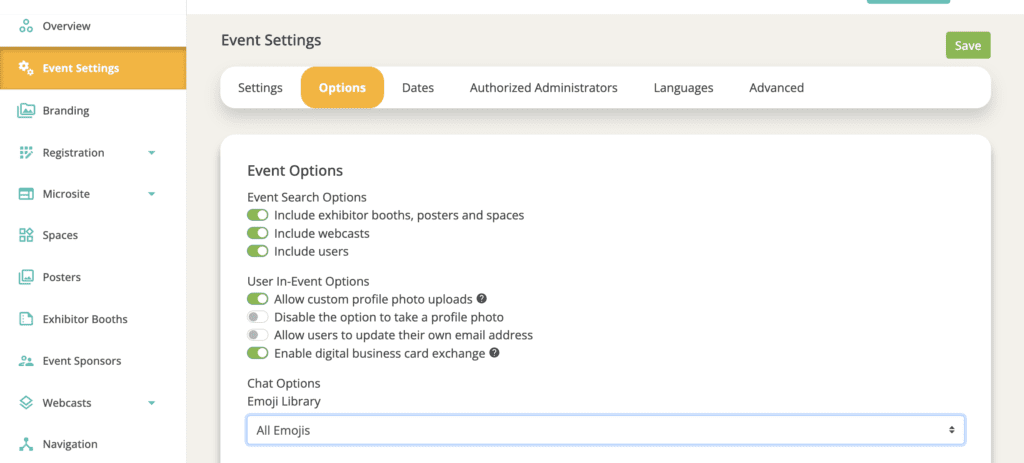
Attendees can now react to chat messages with emoji in event chat, session chat and private messages. Reactions are on by default, and organizers can turn them off per event in Event Settings > Options > Chat Options. Reaction activity also appears in the Event Chat Summary dashboard widget and in chat reports.
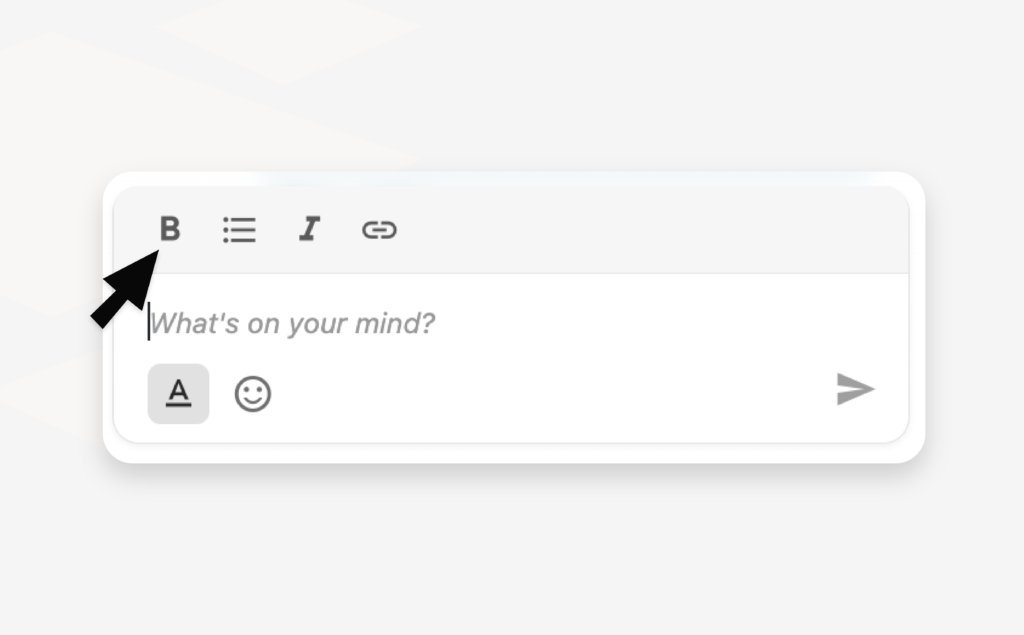
Chat Formatting
Messages can now include bold, italics, bulleted lists and links, along with proper line breaks. Formatting works in regular chat and in pinned messages, so announcements are much easier to read.
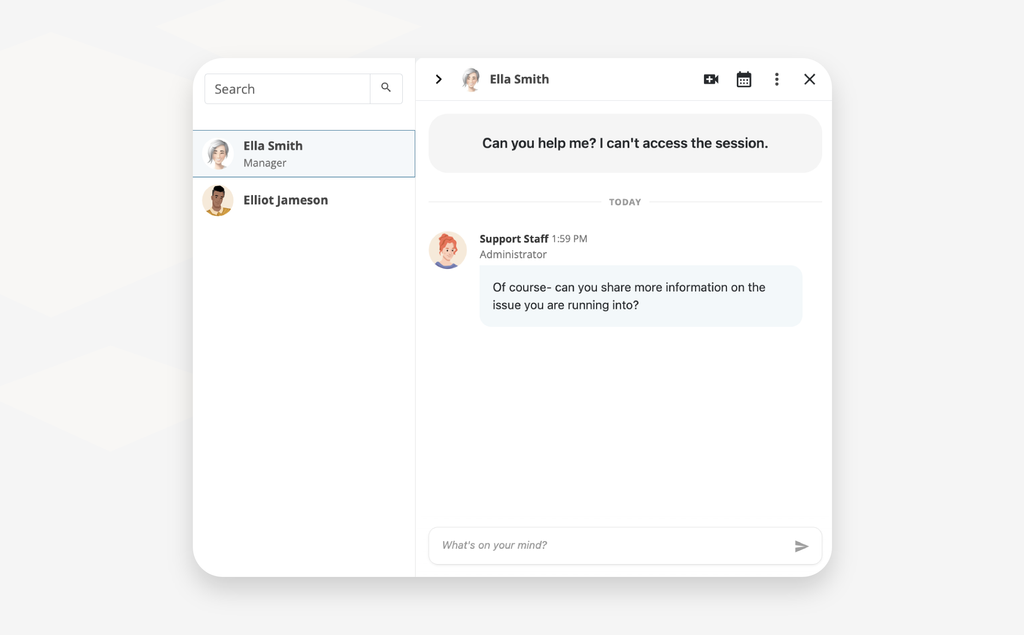
Redesigned Private Chat
Private chat has a whole new layout. Your conversations are listed down the left side with the most recent at the top, and a search bar helps you find anyone fast. Quick actions let you schedule a meeting, view a profile or send a business card right from the conversation. Private video calls now let you choose your camera and microphone before you join, and the chat stays beside the call, collapsible when you want more room.
Updated Pinned Messages
Pinned messages now take up less space and keep the focus on the conversation. Pins appear one at a time so they're easy to flip through, and they tuck away as you scroll back through older messages. A Dismiss option shrinks them to a small "Pinned Messages" tag you can click to bring them back.
Event Staff
Organizers can now mark anyone with a staffing role as Event Staff, from event admins to booth and webcast staff. Staff get a Staff tag next to their name in event-wide group chats and in the Who's in the Event list, so attendees know exactly who to ask for help. Manage it in Event Settings > Event Staff.
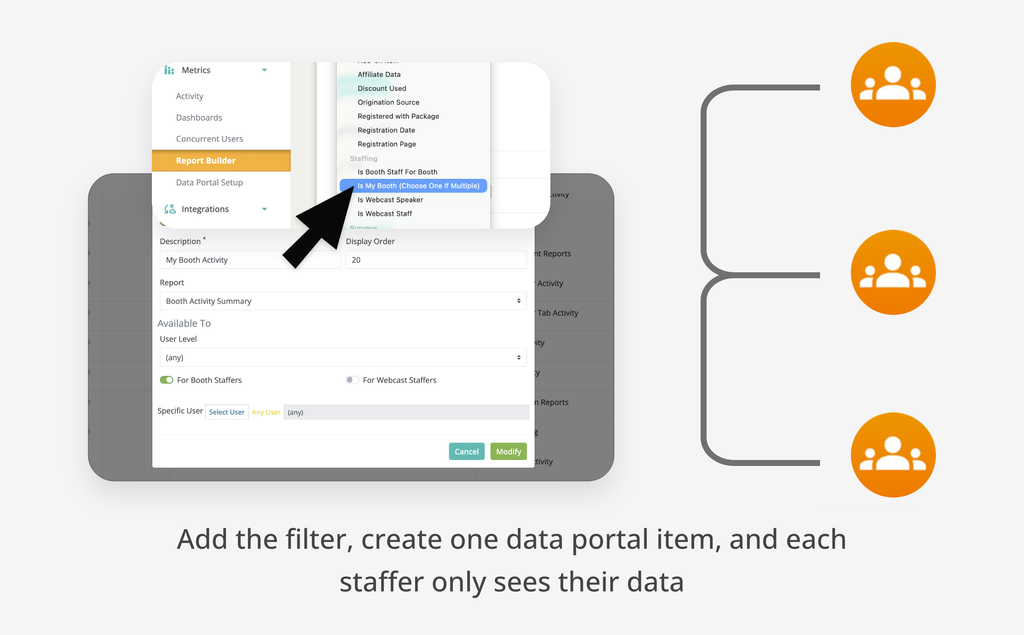
"Is My Booth" and "Is My Webcast" Report Filters
Build one report and share it with all of your booth or webcast staff, and each person sees only the data for the spaces they staff. Add the Is My Booth or Is My Webcast filter, add the report to the Data Portal once, and you're done. Staffers assigned to more than one space can choose which one to view. The filters are available on Booth Action Summary, Booth Activity Summary, Booth Handout Summary, Booth Visit Detail, Webcast Activity Summary, Webcast Poll Response Detail and Webcast View Detail.
Login Overlay Panel Template
A new login page template pairs a full-bleed photo background with a translucent side panel. It's available to select for your account's login page.
A Fresh Look for Chat
Chat has a cleaner, more modern look. Dates now appear as dividers between days, job titles show on messages, and a new More menu on each message lets you view a profile or send a business card. Moderators get a dedicated Moderator Tools section, and a slimmer message bar gives conversations more room, especially for inline chat.
Clearer Private Chat Requests
Chat invitations have a refreshed look, and the note you send to start a conversation now appears as an intro at the top of the thread. You'll also see clearer states while a request is waiting to be accepted, plus a friendly empty state in group chats that don't have messages yet.
Separate Zoom Webcast Types
Zoom now has two webcast types, so you can match the type to the kind of link you have. Choose the embed link type when you want your Zoom session to play right inside your Chati event, so attendees never leave the space. Choose the standard join link type for regular Zoom meeting links, which can't play inside Chati and will open in a new window.
More Improvements
We'd love to hear what you think of the new chat experience. Try it out at your next event and send questions or feedback to support@chati.com.
July 2026
This release is a big one: our Salesforce integration is officially in beta, we've rolled out two brand-new space template sets, and we've made real improvements across the platform.
Salesforce Integration (Beta)
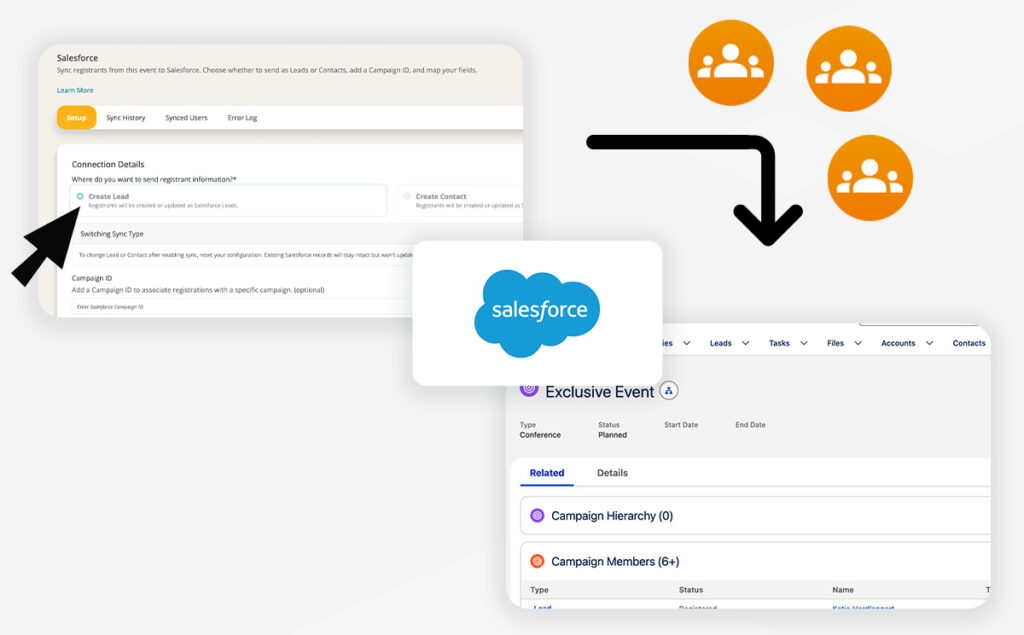
You can now connect your Salesforce org directly to Chati. Once connected, registrants sync automatically as Leads or Contacts, complete with campaign tracking, custom field mapping, and a full sync/error log so you always know what's happening. We're looking for a few client partners to test this out on an upcoming event — reach out to your Chati contact if you're interested.
Two New Space Template Sets: Prism & Ember
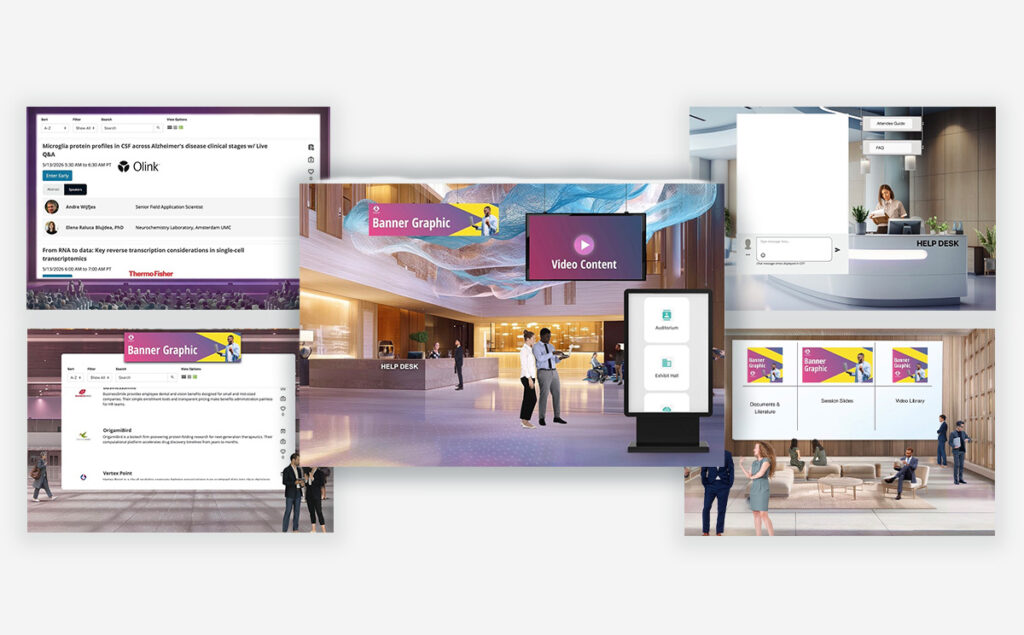
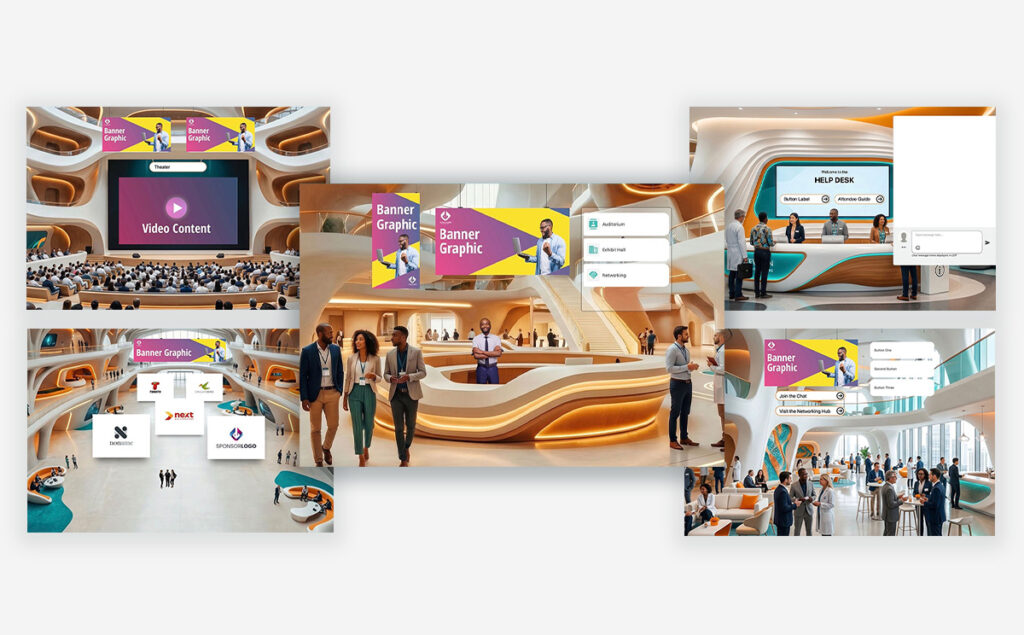
Building an event just got easier. Prism brings a sleek, gradient-lit aesthetic built for tech conferences and product launches — Lobby, Auditorium, Exhibit Hall, Resource Center, and Help Desk. Ember brings a warm, wood-and-teal look tailored to healthcare and medical events — Lobby, Auditorium, Exhibit Hall, Networking Lounge, and Help Desk. Both sets are ready to use straight from the template picker.
Email Updates
You can now set a friendly "From" name and a reply-to address on your email distributions.
More Ways to Organize Your Journeys
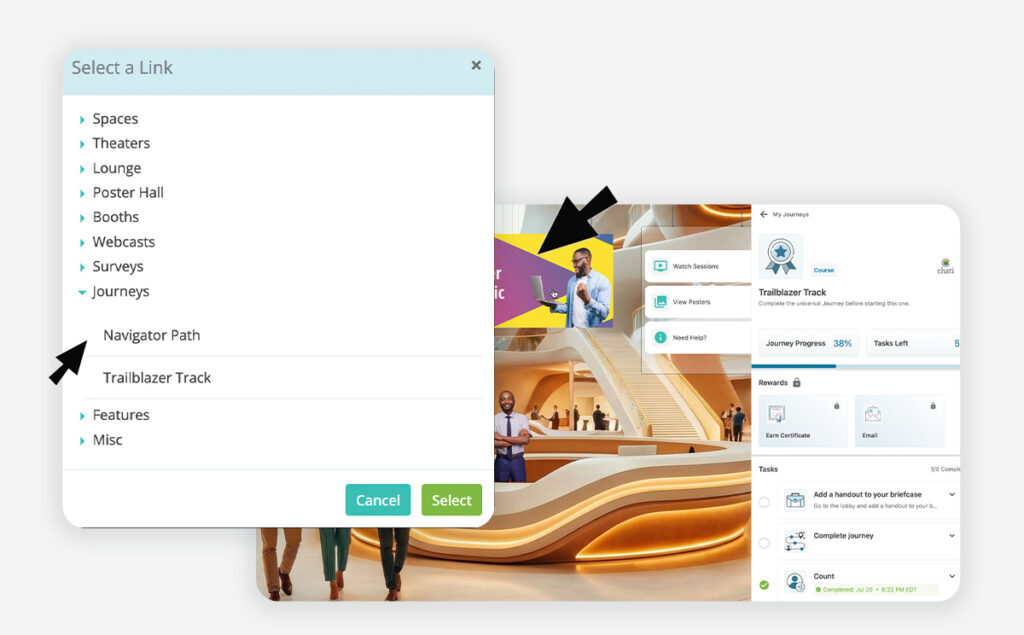
Journeys now support a custom display order, so you control the sequence attendees see. You can also link directly to a specific journey from any link picker in the platform, and when you copy an event or event structure, you now have the option to copy journeys along with it instead of rebuilding from scratch.
More Control Over Modals
Modal size is now configurable when you're linking to a modal from a dynamic banner or navigation menu item rather than being locked to one default size.
Reporting: Unique Handouts Viewed
The Registrant Activity Summary report now includes a Unique Handouts Viewed field, giving you a cleaner view of engagement per attendee.
Our team is here to help. If you have questions on updates or want to share feedback with us, send us an email at support@chati.com.
April 2026
This month we shipped something we've been working toward for a long time: a completely new approach to space templates. We’ve introduced two new immersive template sets — Canopy and Cobalt — alongside a redesigned template selector that makes building events faster, cleaner, and more intuitive than ever. Plus a handful of quality-of-life improvements across the board.
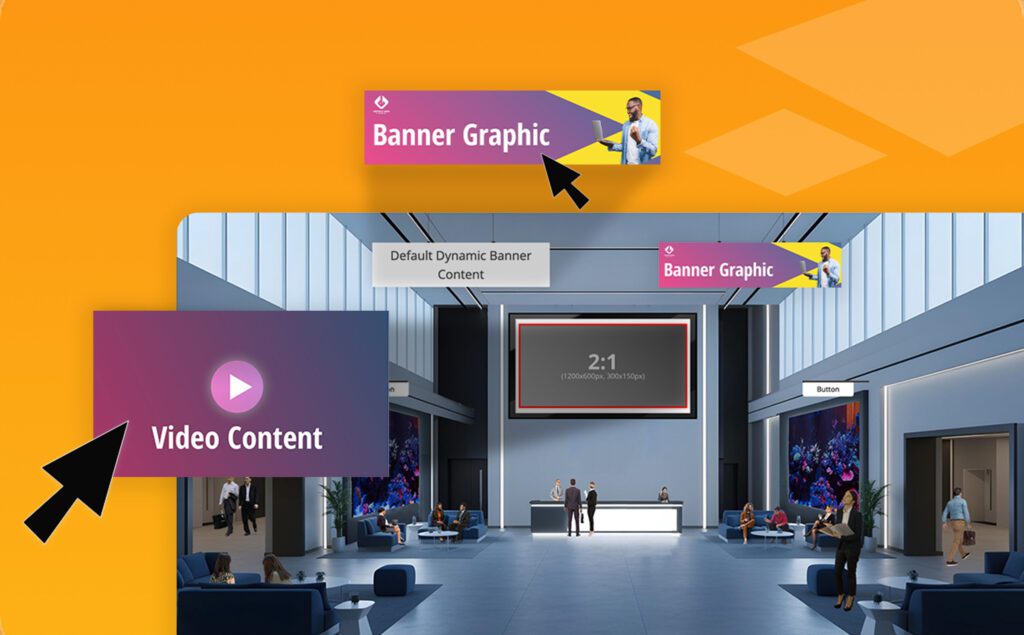
Canopy & Cobalt: Immersive Space Template Sets
Say hello to Chati's first cohesive template collections. Canopy brings a natural, open-air conference feel with greenery and organic tones, while Cobalt delivers a sleek, professional environment in deep blues and moody contrast.
Each set includes templates for your lobby, auditorium, lounge, exhibit hall, and help desk — designed to work beautifully together so your event feels like a unified experience from the moment attendees walk in. Both sets are fully responsive (yes, mobile too), easy to customize, and built specifically with self-service event builders in mind.
If you've ever stared at a blank space and wondered where to start, these templates are your answer.
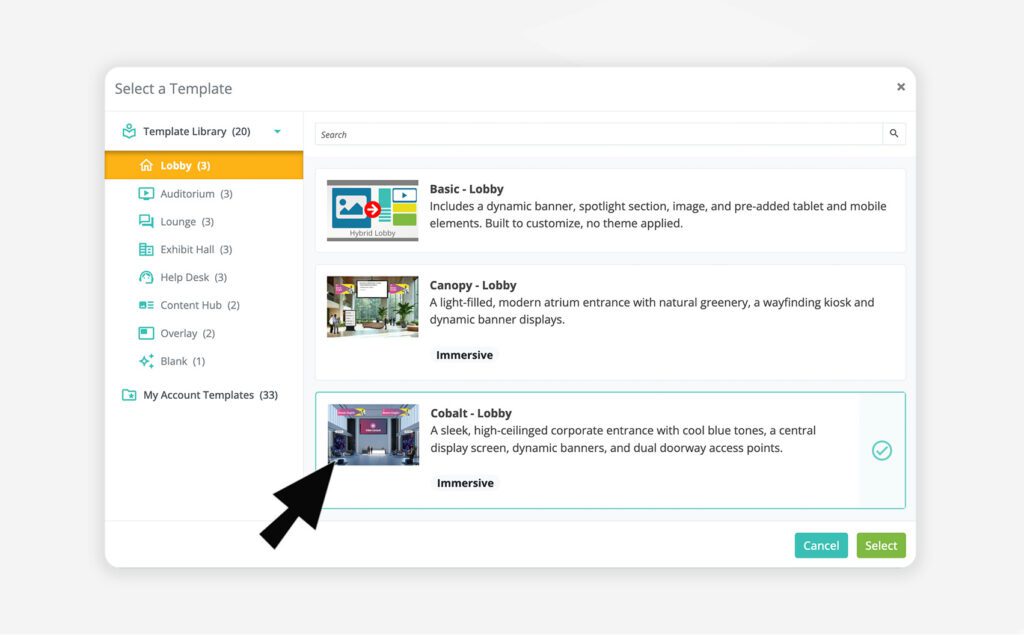
Template Selection is Now Easier
We've completely redesigned the template selector across the platform — for spaces, webcasts, email, registration, and more. Templates are now organized in a clean left-hand panel by category, so finding what you need is fast and obvious. For spaces specifically, the new taxonomy means every template is labeled by style (like Canopy or Cobalt), space type (lobby, auditorium, etc.), and a type badge so you always know what you're working with.
Template Preview
Before committing to a template, you can now hover over any option and click a preview button to expand a full thumbnail view. See exactly what a space looks like before you select it — a small addition that makes a big difference when you're making quick decisions.
Template Change Notification
When you switch templates in the space editor, you'll now see a clear notification letting you know the editor will reset to the new template's defaults. Your uploaded assets (handouts, videos, etc.) are safe — but you'll need to relink them in the editor. We'd rather you know upfront than wonder why things need reconnecting.
Legacy Template Cleanup
We've retired 3D, inline, and several hybrid templates that were non-responsive and no longer reflected the quality bar we're building toward. The templates that remain have been renamed and updated with clear, user-friendly descriptions.
Events using a retired template will not be affected. However, if you switch to a different template, the retired template will no longer be available for reselection.
Our team is here to help. If you have questions on updates or want to share feedback with us, send us an email at support@chati.com.
March 2026
This release brings smarter gamification controls, emojis in event chat, private chat improvements, enhancements in building dashboards, and a batch of fixes that address things you've been waiting on.
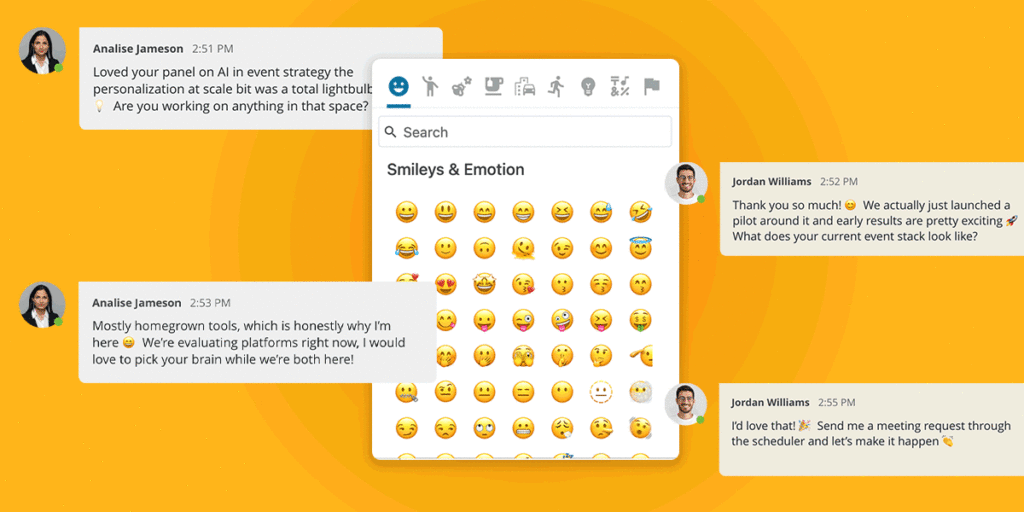
Emojis in Chat
Attendees can now add emojis into all event chats (webcast chat, group chat in spaces, private chat, etc). Organizers have three emoji access options to choose from, giving control over the tone and feel of an event:
⚙️ To configure: Organizers can set their emoji access level in the event settings.
NOTE: All emojis are enabled by default; organizers can manually switch to Basic Set or None if a more controlled experience is preferred.
Gamification: Scoreboard Sort Order
You can now control how your game actions display for users. In the Individual Game Setup, a new Sort Order dropdown lets you choose between Alphabetical (A-Z, By Point Value (Low to High) or By Point Value (High to Low). By Point Value (High to Low) is the default option.
Also included in this release was the ability to disable the scoreboard in any event game. When the scoreboard is enabled, attendees can view their rank, points, and the top 49 participants in the scoreboard tab. This setting affects the attendee-facing display only and does not impact scoring calculations, making it ideal for a more individualized game experience.
Private Chat: First Message Preserved on Acceptance
When a private chat request is sent with a message, that message now correctly appears as the first message in the conversation thread when the request is accepted. Previously, this opening message was not included in the chat.
Event Chat Summary: Key Metrics Panel Dashboard Widget
A new dashboard widget is available for Event Chat, giving organizers a clearer picture of how attendees are connecting during their event.
The panel includes 5 metric options:
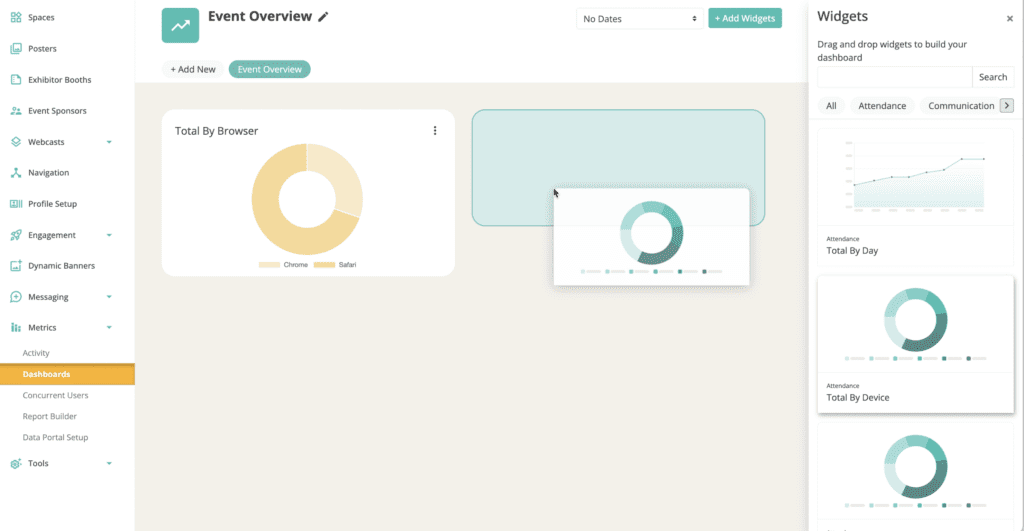
Metric Dashboard: Drag and Drop Configuration
Configuring your event metric dashboard just got a whole lot easier. Drag, drop, and reorder widgets until the view is exactly right.
Account and Text Overrides: Search Bar Added
Hundreds of text overrides are available in the Chati platform, searching through them is now easier with a search bar.
WYSWYG: Text Italics Option
In event configuration, italic text is now available across WYSWYG editors.
Preview Period Access Logic Updates
More control over who gets in early. When setting preview period access, organizers can now allow booth and webcast staff alongside a specific user type. If a user meets either criteria, ie. If they are a staffer OR match the selected user type, they'll have access.
Registration: Plus-Sign Emails Not Recognized
Email addresses containing "+" were not being properly recognized by the system. “+” is now being recognized as expected.
Setting User Types in Registration Activity
There was an issue with user types added in registration activity setting properly, this has been updated fixed.
Our team is here to help. If you have questions on updates or want to share feedback with us, send us an email at support@chati.com.