

March 2026
This release brings smarter gamification controls, emojis in event chat, private chat improvements, enhancements in building dashboards, and a batch of fixes that address things you've been waiting on.
🌟 What's New
Emojis in Chat
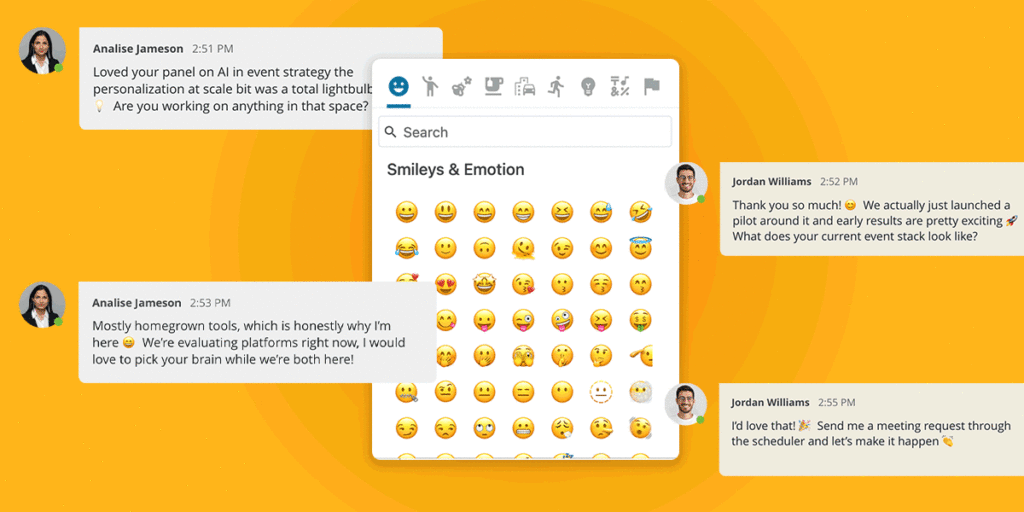
Attendees can now add emojis into all event chats (webcast chat, group chat in spaces, private chat, etc). Organizers have three emoji access options to choose from, giving control over the tone and feel of an event:
- None: Emoji reactions are disabled entirely for the event.
- Basic Set: A curated selection of 5 emojis: 👍 thumbs up, ❤️ heart, 😊 smile, 🎉 celebrate, and 😂 laugh.
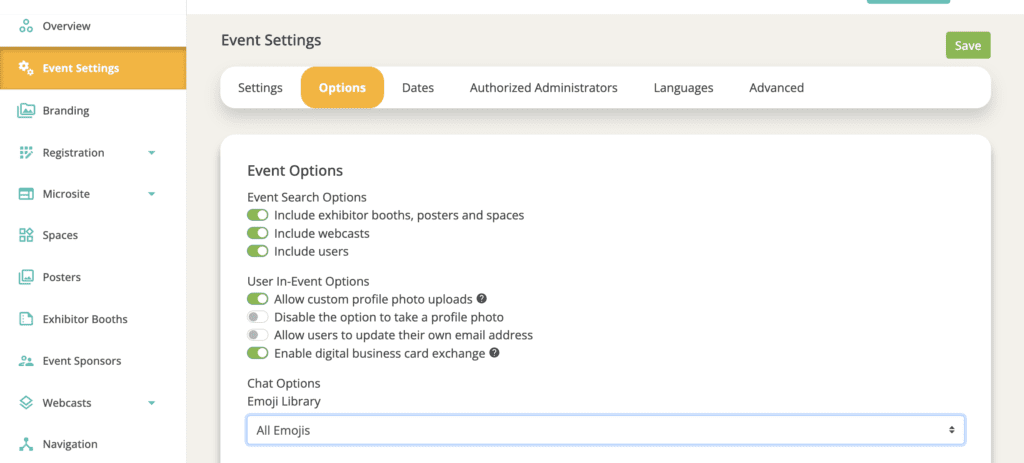
- All : Full emoji access is enabled. This is the default. Explicit and inappropriate emojis have been removed from this set regardless of selection, so you don't need to worry about moderation.
⚙️ To configure: Organizers can set their emoji access level in the event settings.
NOTE: All emojis are enabled by default; organizers can manually switch to Basic Set or None if a more controlled experience is preferred.
Gamification: Scoreboard Sort Order
You can now control how your game actions display for users. In the Individual Game Setup, a new Sort Order dropdown lets you choose between Alphabetical (A-Z, By Point Value (Low to High) or By Point Value (High to Low). By Point Value (High to Low) is the default option.
Also included in this release was the ability to disable the scoreboard in any event game. When the scoreboard is enabled, attendees can view their rank, points, and the top 49 participants in the scoreboard tab. This setting affects the attendee-facing display only and does not impact scoring calculations, making it ideal for a more individualized game experience.
Private Chat: First Message Preserved on Acceptance
When a private chat request is sent with a message, that message now correctly appears as the first message in the conversation thread when the request is accepted. Previously, this opening message was not included in the chat.
Event Chat Summary: Key Metrics Panel Dashboard Widget
A new dashboard widget is available for Event Chat, giving organizers a clearer picture of how attendees are connecting during their event.
The panel includes 5 metric options:
- Private Chat Users: The number of unique attendees who sent at least one private message in the event.
- Group Chat Users: The number of unique users that sent at least one group chat in the event.
- Group Messages Sent: The total number of group messages sent in the event.
- Private Messages Sent: The total number of private messages sent in the event.
- Chat Adoption Rate: The percentage of attendees (attended the event at least once) who used any chat feature compared to the total number of registered users.
🛠 Updates to Existing Features
Metric Dashboard: Drag and Drop Configuration
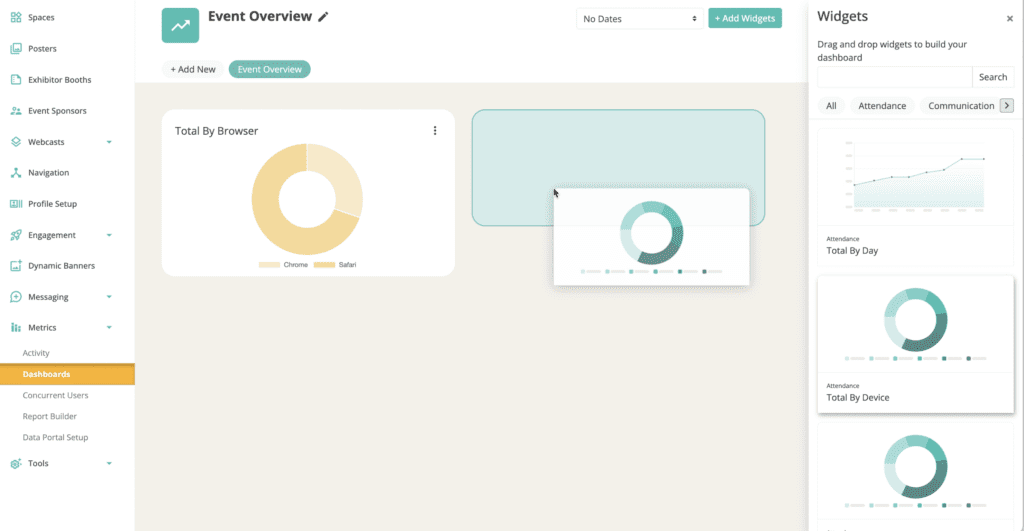
Configuring your event metric dashboard just got a whole lot easier. Drag, drop, and reorder widgets until the view is exactly right.
Account and Text Overrides: Search Bar Added
Hundreds of text overrides are available in the Chati platform, searching through them is now easier with a search bar.
WYSWYG: Text Italics Option
In event configuration, italic text is now available across WYSWYG editors.
Preview Period Access Logic Updates
More control over who gets in early. When setting preview period access, organizers can now allow booth and webcast staff alongside a specific user type. If a user meets either criteria, ie. If they are a staffer OR match the selected user type, they'll have access.
🪲 Bug Fixes
Registration: Plus-Sign Emails Not Recognized
Email addresses containing "+" were not being properly recognized by the system. “+” is now being recognized as expected.
Setting User Types in Registration Activity
There was an issue with user types added in registration activity setting properly, this has been updated fixed.
Have Questions or Feedback?
Our team is here to help. If you have questions on updates or want to share feedback with us, send us an email at support@chati.com.