

April 2026
This month we shipped something we've been working toward for a long time: a completely new approach to space templates. We’ve introduced two new immersive template sets — Canopy and Cobalt — alongside a redesigned template selector that makes building events faster, cleaner, and more intuitive than ever. Plus a handful of quality-of-life improvements across the board.
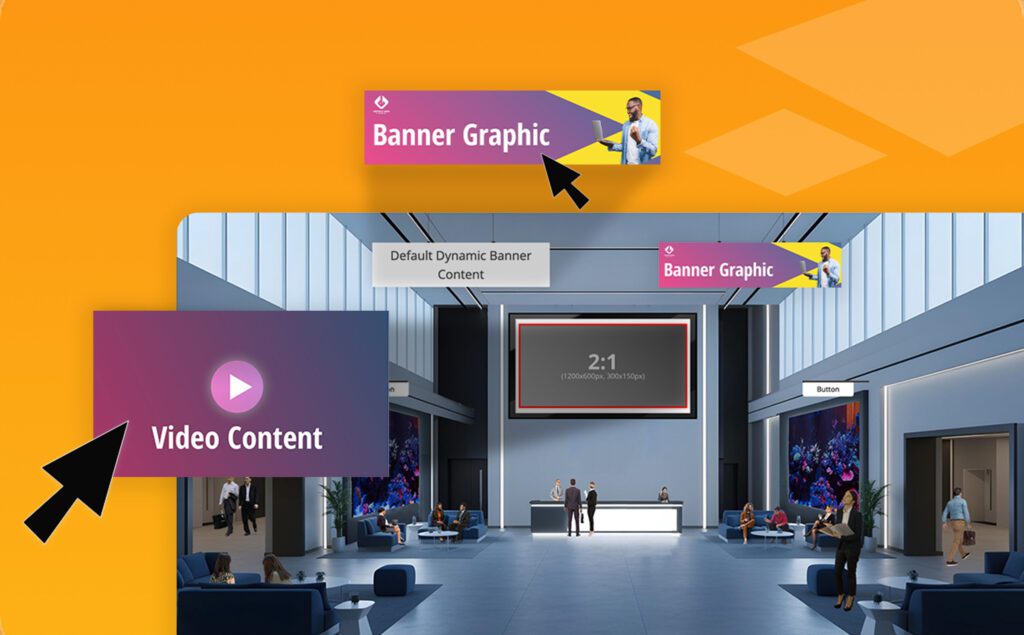
Canopy & Cobalt: Immersive Space Template Sets
Say hello to Chati's first cohesive template collections. Canopy brings a natural, open-air conference feel with greenery and organic tones, while Cobalt delivers a sleek, professional environment in deep blues and moody contrast.
Each set includes templates for your lobby, auditorium, lounge, exhibit hall, and help desk — designed to work beautifully together so your event feels like a unified experience from the moment attendees walk in. Both sets are fully responsive (yes, mobile too), easy to customize, and built specifically with self-service event builders in mind.
If you've ever stared at a blank space and wondered where to start, these templates are your answer.
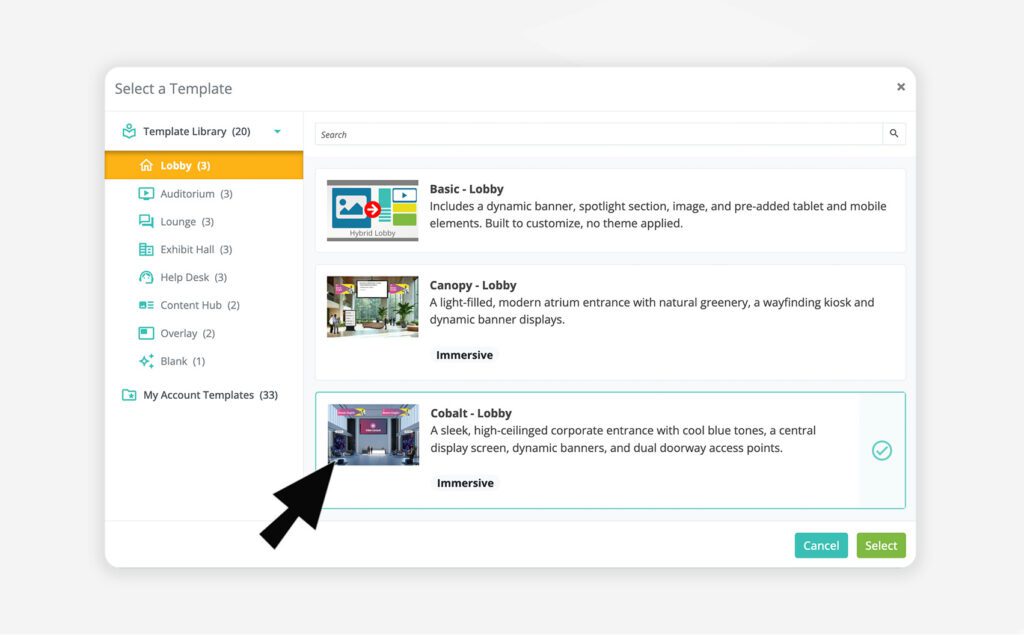
Template Selection is Now Easier
We've completely redesigned the template selector across the platform — for spaces, webcasts, email, registration, and more. Templates are now organized in a clean left-hand panel by category, so finding what you need is fast and obvious. For spaces specifically, the new taxonomy means every template is labeled by style (like Canopy or Cobalt), space type (lobby, auditorium, etc.), and a type badge so you always know what you're working with.
Template Preview
Before committing to a template, you can now hover over any option and click a preview button to expand a full thumbnail view. See exactly what a space looks like before you select it — a small addition that makes a big difference when you're making quick decisions.
Template Change Notification
When you switch templates in the space editor, you'll now see a clear notification letting you know the editor will reset to the new template's defaults. Your uploaded assets (handouts, videos, etc.) are safe — but you'll need to relink them in the editor. We'd rather you know upfront than wonder why things need reconnecting.
Legacy Template Cleanup
We've retired 3D, inline, and several hybrid templates that were non-responsive and no longer reflected the quality bar we're building toward. The templates that remain have been renamed and updated with clear, user-friendly descriptions.
Events using a retired template will not be affected. However, if you switch to a different template, the retired template will no longer be available for reselection.
Our team is here to help. If you have questions on updates or want to share feedback with us, send us an email at support@chati.com.
March 2026
This release brings smarter gamification controls, emojis in event chat, private chat improvements, enhancements in building dashboards, and a batch of fixes that address things you've been waiting on.
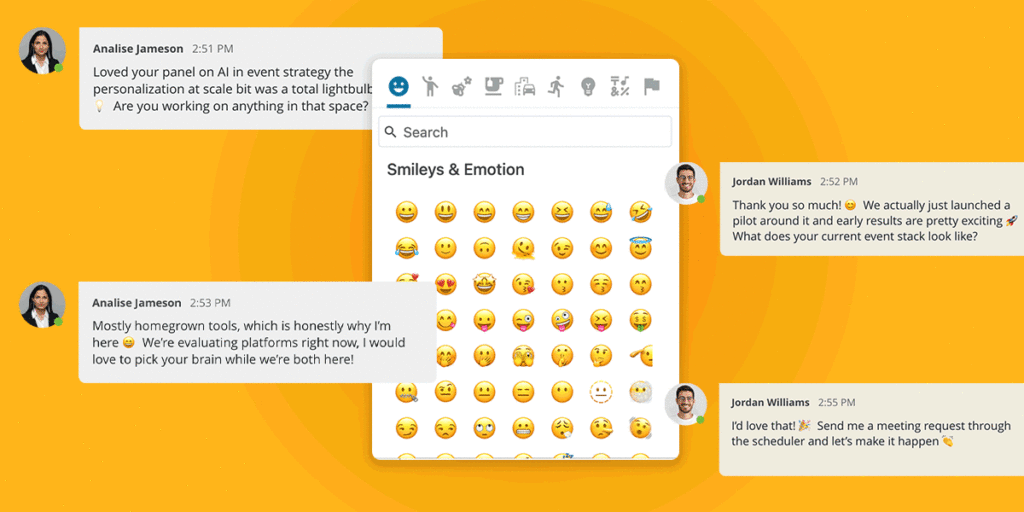
Emojis in Chat
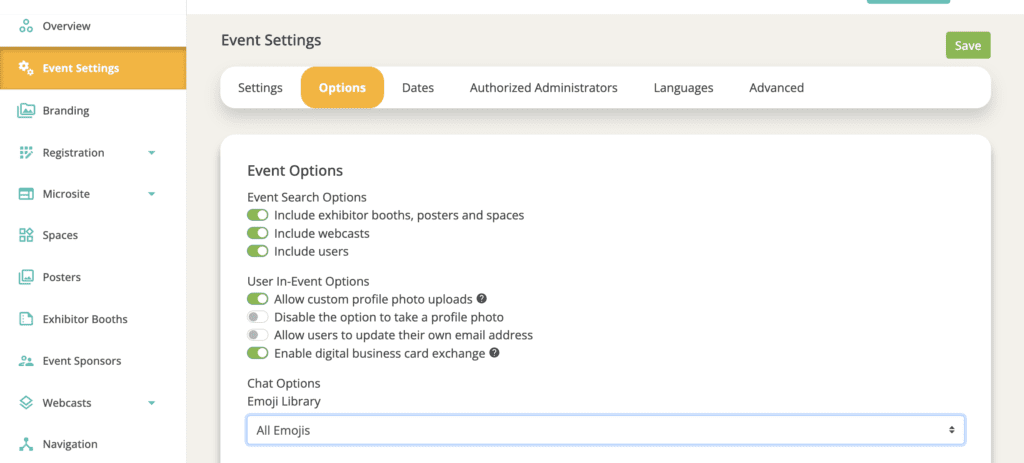
Attendees can now add emojis into all event chats (webcast chat, group chat in spaces, private chat, etc). Organizers have three emoji access options to choose from, giving control over the tone and feel of an event:
⚙️ To configure: Organizers can set their emoji access level in the event settings.
NOTE: All emojis are enabled by default; organizers can manually switch to Basic Set or None if a more controlled experience is preferred.
Gamification: Scoreboard Sort Order
You can now control how your game actions display for users. In the Individual Game Setup, a new Sort Order dropdown lets you choose between Alphabetical (A-Z, By Point Value (Low to High) or By Point Value (High to Low). By Point Value (High to Low) is the default option.
Also included in this release was the ability to disable the scoreboard in any event game. When the scoreboard is enabled, attendees can view their rank, points, and the top 49 participants in the scoreboard tab. This setting affects the attendee-facing display only and does not impact scoring calculations, making it ideal for a more individualized game experience.
Private Chat: First Message Preserved on Acceptance
When a private chat request is sent with a message, that message now correctly appears as the first message in the conversation thread when the request is accepted. Previously, this opening message was not included in the chat.
Event Chat Summary: Key Metrics Panel Dashboard Widget
A new dashboard widget is available for Event Chat, giving organizers a clearer picture of how attendees are connecting during their event.
The panel includes 5 metric options:
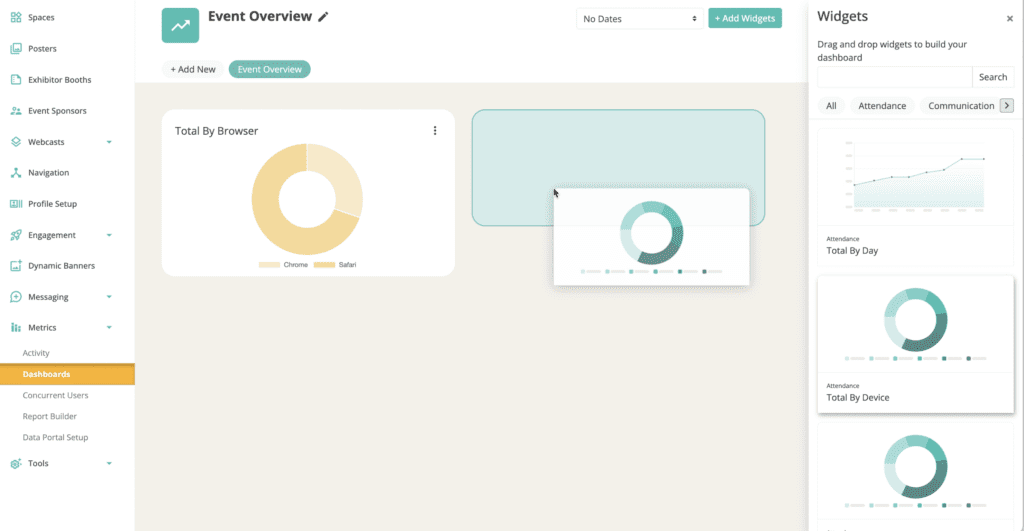
Metric Dashboard: Drag and Drop Configuration
Configuring your event metric dashboard just got a whole lot easier. Drag, drop, and reorder widgets until the view is exactly right.
Account and Text Overrides: Search Bar Added
Hundreds of text overrides are available in the Chati platform, searching through them is now easier with a search bar.
WYSWYG: Text Italics Option
In event configuration, italic text is now available across WYSWYG editors.
Preview Period Access Logic Updates
More control over who gets in early. When setting preview period access, organizers can now allow booth and webcast staff alongside a specific user type. If a user meets either criteria, ie. If they are a staffer OR match the selected user type, they'll have access.
Registration: Plus-Sign Emails Not Recognized
Email addresses containing "+" were not being properly recognized by the system. “+” is now being recognized as expected.
Setting User Types in Registration Activity
There was an issue with user types added in registration activity setting properly, this has been updated fixed.
Our team is here to help. If you have questions on updates or want to share feedback with us, send us an email at support@chati.com.